



All the features you don’t have to build.
See what we’ve built so far and what we’re adding daily to power better experiences.
Money movement
Funds flows
Accept payments directly or allow your users to accept payments.
Store moneyMoov wallets can be funded for payouts or be used for merchant services.
Send moneySend payouts to linked bank accounts or to other Moov wallets.
Spend moneyIssue single-use or multi-use virtual cards for corporate spending from Moov wallets.
Payment rail agnostic
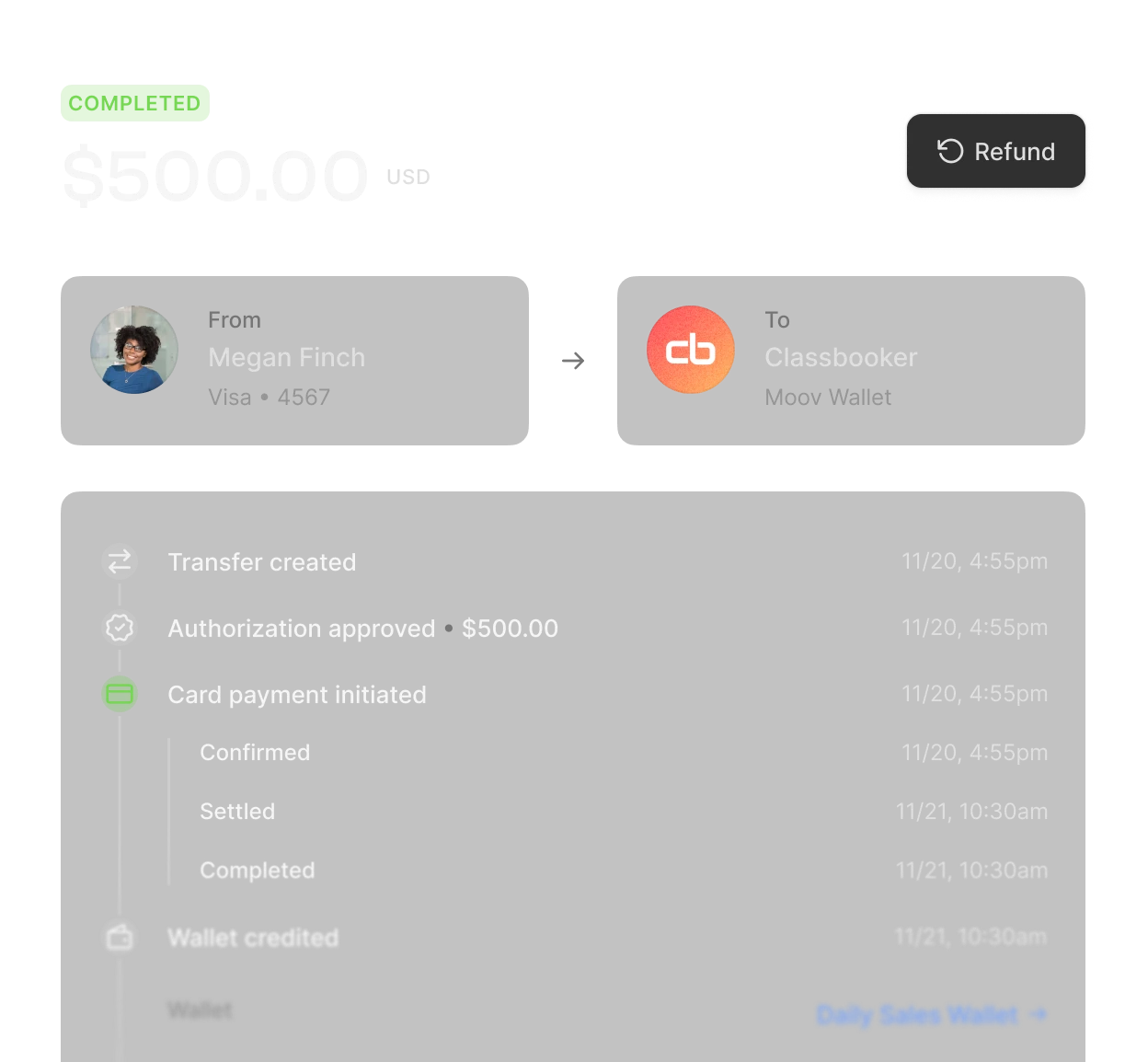
One interface to transfer funds between any two sources, using any payment options. Learn more
Let your users know exactly where their money is and when things change.
Generated payment methodsWhen a user links a bank account or card, we create the payment methods that your user can choose when involved in a transfer.
Transfer options utilityPass in an amount and a source or destination and we’ll give you the payment methods available.
Schedule transfersSet a date in the future for a transfer to occur.
Recurring transfersSetup recurring payments on any cadence with maximum flexibility.
Transfer groupsCreate transfers that kick off when a previous transfer is completed. Chain multiple transfers together to handle complex flows easily.
Fee plansSet up a fee plan and pricing for a single business, or reuse a template for many.
Optionally charge a fee on transfers. Fee income will be distributed to your Moov wallet.
Pull residuals, revenue share, and merchant fee revenue via API to reconcile your platform earnings.
ReceiptsSend branded receipts for any transfer, including every occurrence of a scheduled transfer.
Granular statusesTrack a transfer like it’s a package being delivered. Get the overall status as well as rail-specific statuses.
Retrieve the full, ordered history of a transfer from creation to settlement.
Offer free standard ACH payouts alongside faster payout options, and optionally let recipients pay the fee for speed.
Pass around unique identifiers instead of sensitive data.
Add line items to transfers to track the details of the payment.
Add sales tax to transfers to track the tax amount of the payment.
Add your own key-value pairs to transfers you create.
Choose to fire-and-forget or wait for a payment rail response when creating a transfer.
Moov wallets
Available balance usable immediately from the wallet.
Moving funds between Moov wallets happens right away.
Request a wallet and get one immediately if KYC is already passed.
Create multiple wallets to organize funds across different business functions, projects, or purposes within a single Moov account.
View historical transactions tightly correlated to payment data.
Observe the impact that each transaction has on the available balance of a wallet.
Subscribe to balance updates as they happen rather than having to ask.
Transaction typesFilter by transaction type to understand what’s fee revenue vs top-ups vs payments and more.
Add funds & cash outEasily add funds to a wallet or cash out to a linked bank account.
Automatic payoutsAutomate cashing out or topping off a wallet daily.
Sweep subtotalsEach daily sweep reports on the totals of each transaction category.
Maintain balanceSet a balance for a wallet to net out to daily.
Instant sweepsSweep wallet balances to a linked bank account instantly over RTP® or FedNow®.
Choose the time of day each wallet’s sweep runs.
Payment links
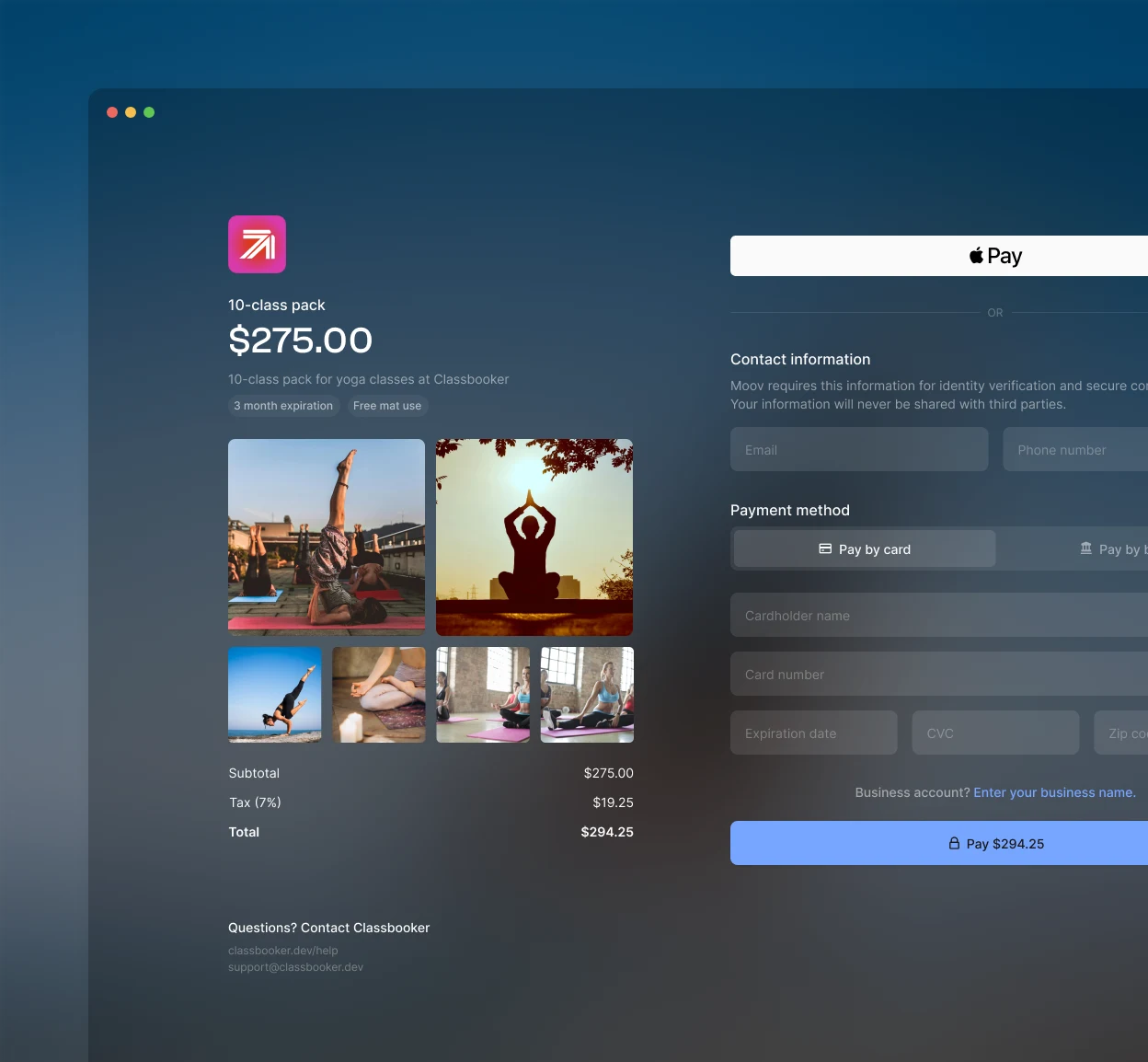
Send payment links to get paid for a good or service.
PayoutSend a payout link to pay a counterparty via ACH, instant bank transfer, or push to card.
Recipient-chosen payout speedLet recipients choose how fast they get paid, from free standard ACH to instant, with optional fees for faster delivery.
Tipping & surchargesCollect tips and apply credit card surcharges right in checkout.
Beautifully designed and branded to the merchant.
Create single- or multi-use payment links.
Create a QR code to point users to payment links in more ways.
Pay, donate, subscribe, book, etc. Let the link fit the use case.
Support “pay what you want” or donation use cases.
Suggested amountsFor user-defined amounts, create presets for a user to choose from.
When a link is shared in a messaging app, a preview image will be shown.
Automatically generate receipts for each payment.
Product catalog
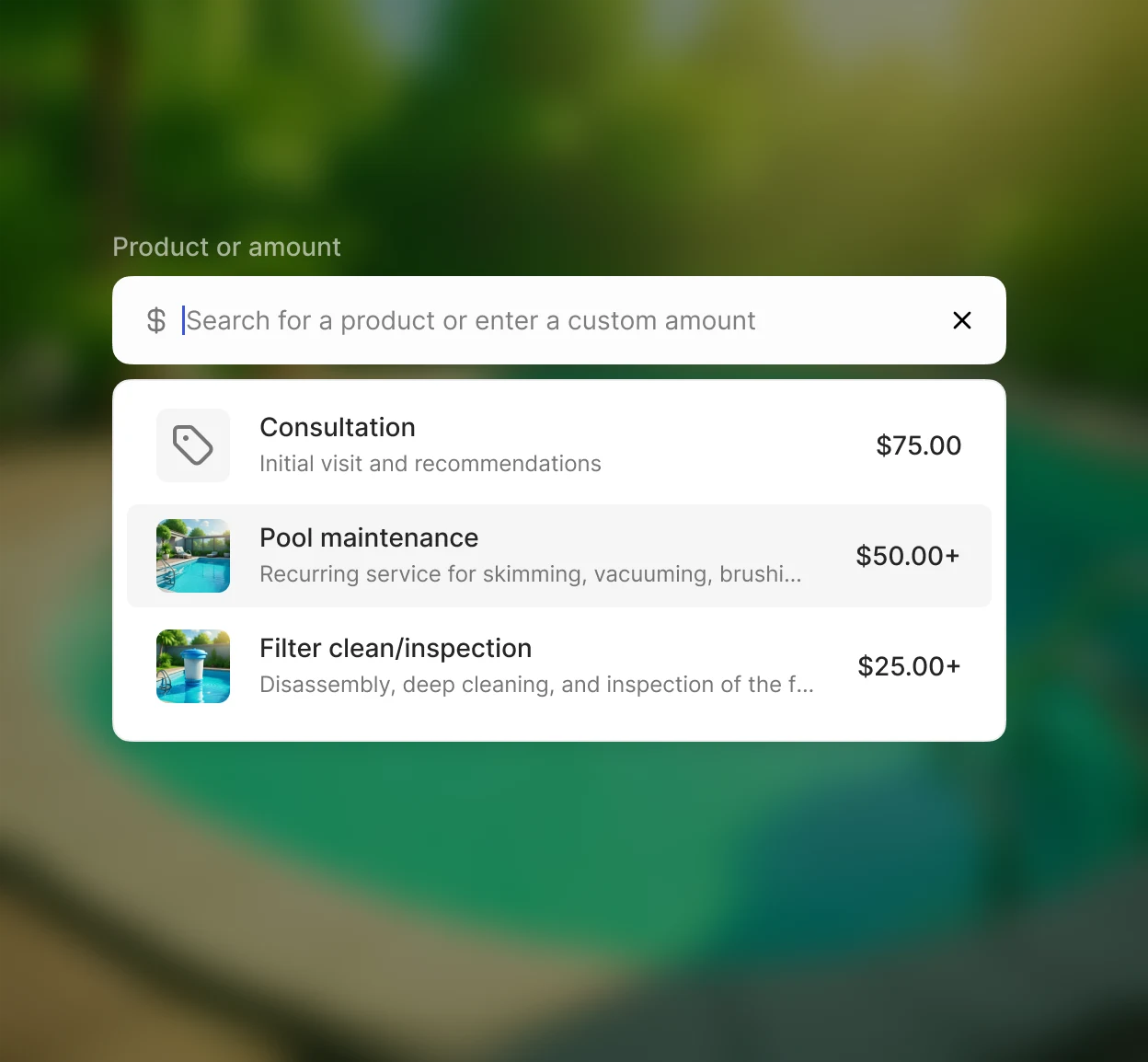
Create a product catalog to sell your products and services. Create products with a base price and optional variants.
Create different variants of a product to offer different options to your customers.
Add images to your products to help your customers understand what they are buying.
Product categoriesOrganize your catalog with a built-in product taxonomy.
Mark which products are taxable to simplify applying tax to transfers.
Invoicing
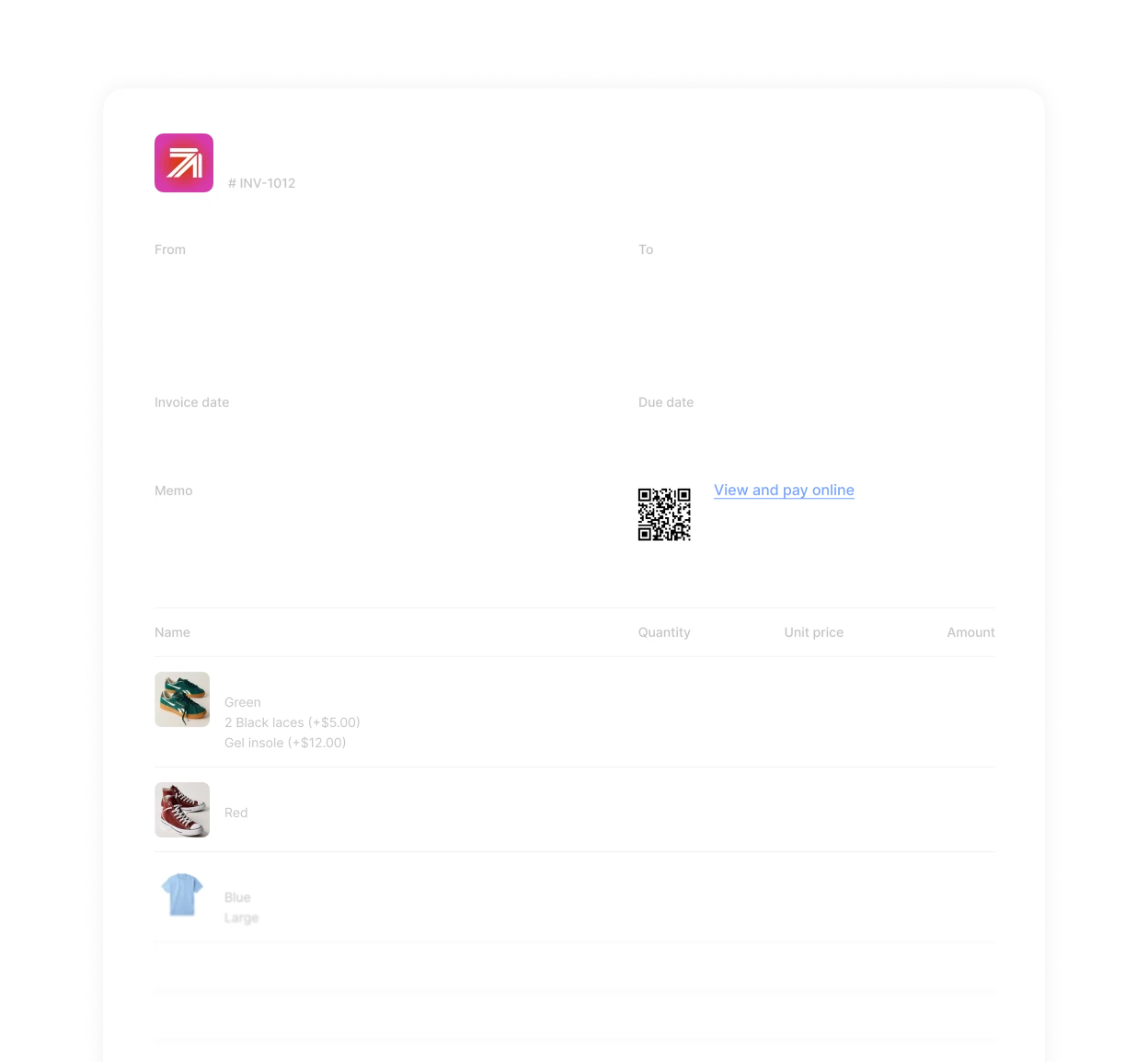
Generate invoices with line items, tax calculations, and customer details. Send branded invoices via email with automatic payment links.
Invoice trackingTrack invoice status including draft, unpaid, payment-pending, paid, overdue, and canceled. Monitor outstanding balances and payment history at a glance.
Product integrationAdd products from your catalog or create custom line items on the fly. Support for quantities, pricing, and tax amounts on each line item.
Pick an existing customer or create one while making the invoice, and optionally send it to a different email.
Every invoice includes a branded payment link for ACH or card, embedded in the invoice email.
Accept payments via bank transfer (ACH) or card directly from the invoice payment link.
Choose payment methodsDecide whether each invoice can be paid by card, bank transfer, or both.
Copy an invoice’s payment link to share by text or any other channel, secured with a one-time passcode sent to your customer’s email.
Mark invoices as paid manually for payments received outside the platform, with optional reference IDs and payment dates.
Generate and send receipts automatically when invoices are paid, providing confirmation to your customers.
Automatic sequential invoice numbering (e.g., INV-1000, INV-1001) for easy organization and reference.
Custom invoice numbersSet your own invoice number to match your existing accounting or billing system.
Due datesSet a payment due date on each invoice. Invoices past their due date are marked overdue automatically.
Automated dunningWhen an invoice goes overdue, Moov emails your customer a reminder with the invoice attached, and lets you know too.
Resend an unpaid or overdue invoice to your customer with one click in the Moov Dashboard or via API.
Branded invoice PDFs attach to customer emails automatically, and download anytime from the Dashboard or API.
Invoices link to their payment links, transfers, and receipts. Filter transfers by invoice and see how each was paid.
Bank accounts
Collect bank account information for your users securely and we’ll check eligibility across different payment networks.
Account typesAllow users to link checking, savings, loan, or general ledger bank accounts.
Micro-deposit verificationVerify bank accounts with $0.01 micro-deposits before debiting them, sent instantly over RTP® or FedNow® when supported, or via same-day ACH.
Instant account verification with MXMoov is partnered with MX to provide instant account verification.
Instant account verification with PlaidMoov is partnered with Plaid to provide instant account verification.
Run an instant risk check when a bank account is linked and get a clear success, inconclusive, or decline outcome before you debit it.
BetaValidate routing numbers as your users type them against a list of all financial institutions in the US.
Search financial institutions by name or routing number and see which support ACH, RTP®, FedNow®, and wire.
Show a bank’s logo whenever you show a bank account or bank by routing number.
If we receive a notice of change from the bank, we’ll apply the corrections automatically.
ACH
All ACH debits are made with same-day ACH for a better and faster experience.
Same-day creditsSend funds faster with same-day ACH. Windows are 10am, 2:15pm, and 4:15pm ET.
Next-day creditsSend funds via standard ACH. Not as fast as same-day, but it gets the job done. 5:30pm ET cut-off window.
Expedited ACH fundingFor approved use cases, remove the risk hold on ACH debits to get access to funds faster.
Trace numbersView ACH trace numbers for each transfer. These are commonly shown in your user’s bank statements.
ACH addendaAdd addenda to ACH transfers to include additional information in the payment.
From handling returns and properly formatting what shows up in bank statements, let Moov handle it.
Moov handles the creation of the character-delimited files and uploads them to the Fed. Built on our open source ACH library.
Moov applies the appropriate Standard Entry Class Code, mostly PPD, WEB and CCD, or you can set CCD, PPD, WEB, or TEL yourself.
Custom statement descriptorsSet the company name and entry description that appear on the recipient’s bank statement.
ACH cancellationsCancel an ACH transfer via the API or Dashboard before it’s sent to the network.
Reversals, returns, & NOCsACH is full of rough edge cases. Moov smooths these out for you and shows you exactly what happened.
Use Moov’s webhook subscriptions to receive notifications when ACH returns occur.
Approved accounts can resolve R29 returns themselves by attesting the account holder has reauthorized debits.
Instant payments
Directly certified and redundantly connected to The Clearing House RTP® network.
Send money to bank accounts in near-real-time with RTP®, 24/7/365 with no reversals.
Directly certified and redundantly connected to FedNow® network.
Send money to bank accounts in near-real-time with FedNow®, 24/7/365 with no reversals.
Auto-upgrade bank accountsMoov will automatically detect if a bank account is eligible to receive payments via RTP® or FedNow®.
Visa DirectMoov enables push-to-card transactions with connectivity to Visa Direct.
Mastercard SendSend push-to-card transactions for instant availability of funds with Mastercard Send.
Deferred card payoutsSchedule push-to-card payouts for delivery in 24 to 48 hours at a lower cost than instant.
Beta Card eligibility detectionMost debit cards support credit transactions, but Moov tells you definitively when you add a card.
Pull from cardSupport account funding use cases by pulling funds from a debit or credit card.
Name validationValidate the name of the cardholder with Visa Account Name Inquiry or Mastercard Name Verification.
Apple Pay disbursementsInstantly push funds to cards in Apple Pay wallets with the Disbursement Request API.
Google Pay disbursementsInstantly push funds to cards in Google Pay.
Card acquiring
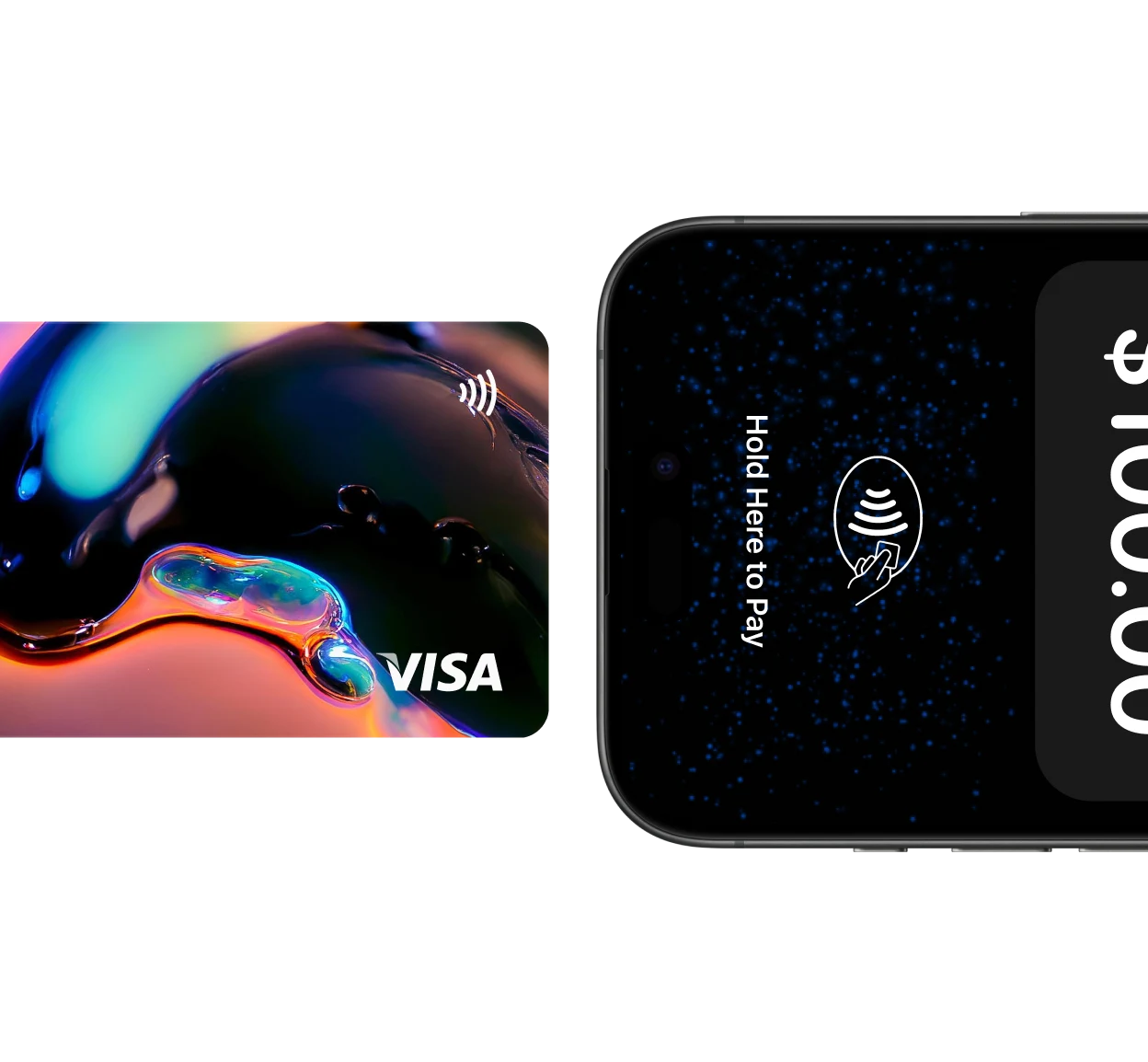
Direct redundant connections to the card networks including Visa®, Mastercard®, American Express®, and Discover®.
Accept card payments or allow businesses you onboard to accept card payments from the major card brands.
Tap to Pay on iPhoneAccept contactless payments with just an iPhone.
Tap to Pay on AndroidMerchants can accept contactless payments from their Android device.
Tap to Share on iPhoneShare the cart to a customer’s iPhone so they can review it, share their details, and pay with Apple Pay on their own device.
Card-on-fileSecurely collect payment card details like card number, expiration date, CVV, and zip code using Moov Drops.
Card verificationMoov normalizes results between card brands for CVV, name, and address checks that you can use for your own risk management.
Card verification step-upFor card-on-file use cases, ask a user to confirm their CVV to prevent account takeover fraud.
Recurring card paymentsCharge saved cards on a schedule or on demand, with transactions tagged to meet card network rules and reduce declines.
Authorize now, capture laterPlace a hold on a card at checkout and collect the funds when you’re ready, like when an order ships.
Partial & multiple capturesCapture a hold in pieces, like one capture per shipment. When you mark the last capture final, the rest of the hold is released automatically.
Tip adjustmentsAuthorize the bill, then capture the final total once the tip is added.
Extended authorizationRequest a longer hold window for orders that take longer to fulfill.
Estimated authorizationPlace a hold for an estimated amount when the final total isn’t known yet, like for hotels and rentals.
Expiring hold alertsGet notified before a hold expires so you can capture in time. Expired holds are released automatically.
Attach line items, amount details, and platform fees to each capture for clean reconciliation.
Accept Apple Pay on the web with the Payment Request API.
Google PayAccept Google Pay on the web with the Payment Request API.
Fast settlement to Moov walletsInstead of settling acquired funds via ACH to a bank account, funds settle directly into your Moov wallet, providing faster access.
Monetize card paymentsChoose how you price card payments to your merchants by marking up interchange or charging a flat rate.
See interchange, card network, and Moov processing fees, plus the interchange program each payment qualified for, on every transfer.
Use transfer groups and Moov wallets to split funding between multiple participants as soon as funds settle.
TippingLet customers choose from fixed or percentage tip presets, calculated before or after tax.
Credit card surchargingApply a surcharge to cover the cost of accepting a credit card.
Dynamic descriptorsFor approved accounts, set transaction descriptions that show up on the payer’s bank statements.
Disputed transactionsDisputes happen. Get notified for every dispute along with the reason from the card network.
RefundsIssue full or partial refunds for any card transaction, or refund a specific capture.
Cancel transactionsCancel a card payment to reverse it and release funds back to the cardholder, or release just part of an uncaptured hold.
Smart reversalsOne call to undo a payment. Moov cancels it if it hasn’t settled, or refunds it if it has.
Card account updaterIf a cardholder gets a new card, the card on file will be automatically updated so you can keep accepting payments.
Moov finds the card type and issuing bank for each linked card.
Determine the supported features, type, and attributes of a card before linking it, or look up card metadata without linking it at all.
If a card issuer declines a payment, provide the appropriate next steps for your user, like trying again or trying a different card.
US merchants can accept payments in USD from cards outside of the US.
Healthcare merchants and qualifying pharmacies can accept healthcare benefit cards on Visa® and Mastercard®.
Debt repaymentLenders can qualify for lower, capped interchange on loan repayments through card network incentive programs.
Merchants with an existing American Express® relationship can settle card payments directly with Amex.
Card issuing Beta
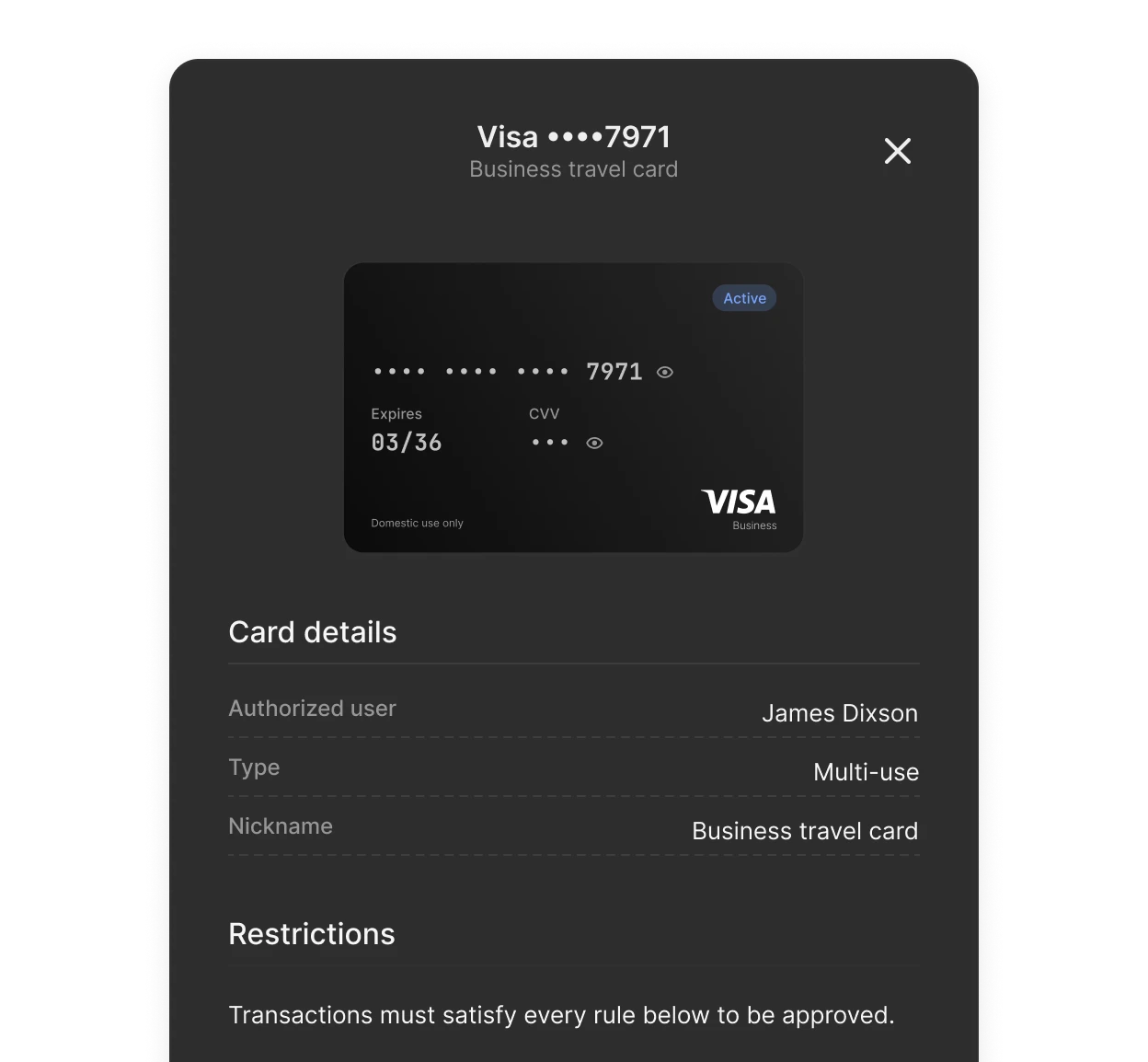
Programmatically create virtual cards that are ready to use instantly.
Single-use virtual cardsCreate a virtual card that can be used for a single transaction for vendor payments.
Create cards that can be used for recurring payments at a merchant.
Limit the spend available on a virtual card.
Spend controlsRestrict where and when cards can be used with merchant category limits, merchant allow and block lists, spend schedules, and a spend cutoff date.
Freeze & unfreezeTemporarily pause a card and turn it back on at any time.
Card activityView authorizations and settlements for every card, with clear reasons when a transaction is declined.
Issue cards, securely reveal card details, set limits, and close cards from the Moov Dashboard.
Spend funds from the available balance of a Moov wallet.
Issue cards to employees or other authorized users who spend from the business’s wallet.
Moov not only brings the issuer-processing but also program management.
Embed issued cards in your app with a Moov Drop, reducing your PCI DSS requirements.
Developer tools
Moov.js
Browser-side SDK that simplifies interacting with the Moov API.
You don’t need to handle SSN or other private data required from users.
Import Moov.js into your JavaScript project from NPM.
When you import Moov.js into your TypeScript project, your code editor will autocomplete methods.
Moov Drops
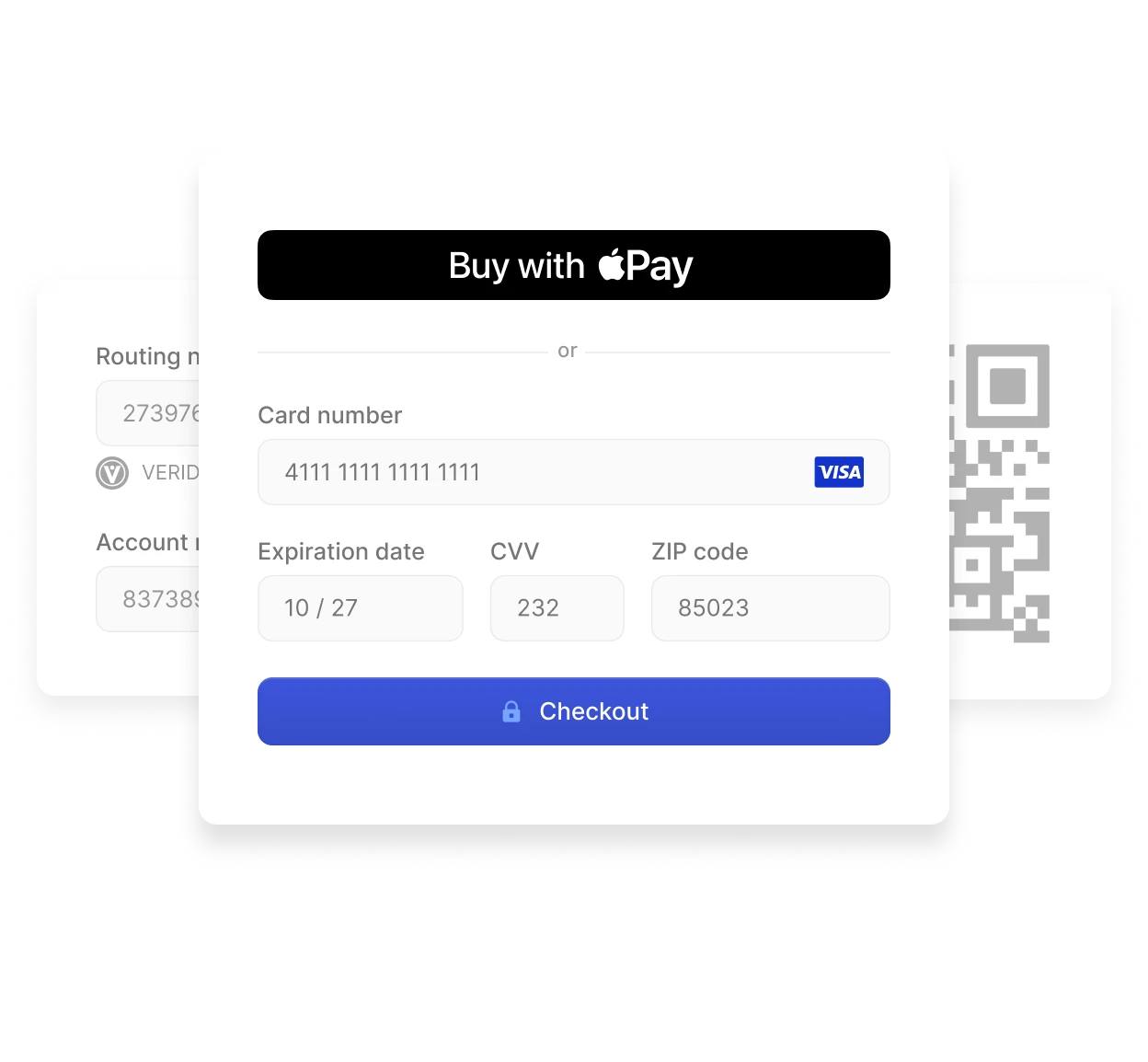
You don’t want to handle a card number yourself, pass it from your user right to Moov. Optionally restrict which card brands are accepted.
Security code challengeSecurely ask the user to confirm their card’s CVV to prevent account takeover fraud.
OnboardingLet us handle the edge cases of creating accounts and going through KYC. Users can pick up where they left off and review fee plan disclosures before finishing.
Payment methodsCapture bank account or card details from your users easily.
Issued cardsEmbed issued cards in your app with a Moov Drop, reducing your PCI DSS requirements.
Secure data captureAny data field can be sent directly to Moov with the same security as linking a payment card.
Composable DropsBuild your own card or data collection forms from PCI-compliant input components.
File uploadLet users upload verification documents straight to Moov, keeping sensitive files off your servers.
ThemingMatch Drops to your brand with custom colors and corner radius.
Terms of ServiceEasily present and have users accept Moov’s terms of service.
Server-side SDKs
Native mobile SDKs
API
Anything we can do you can do. And all JSON field names include all their vowels.
View detailed request and response bodies and headers in our public API docs.
Use the TypeScript SDK in the browser with scoped OAuth access tokens.
API errors follow the RFC 9457 problem details standard.
To help make your development process simpler, we’ve published a Postman collection with example calls to our API.
IdempotencyPrevent duplicate transfers from being created.
API keysCreate any number of API keys for as many apps as you create.
Restrict API keys to domainsImprove your security posture by restricting API keys to just the domains on which you use them with Moov.js
Roll your keys whenever you like.
Generate an access token with only the ability to perform the actions you specify.
Encrypt sensitive data with a Moov public key so it can pass safely through systems that aren’t PCI compliant.
Testing
Build your integration against a sandboxed test account where anything goes.
Simulate real situations, like micro-deposit verification, without having the wait for the realistic timing.
Optionally limit members of your team to only have access to your test account and not production data.
Test Moov accounts look just like real accounts except capabilities will automatically enable when requested.
Test your flow of funds once or constantly and simulate the settlement process.
Test cardsTest card acceptance and declines using test cards.
Test ACH returnsSimulate ACH returns to test your handling of them.
Test disputesSimulate chargebacks, Amex inquiries, and won or lost disputes with test cards and evidence.
Test instant payments & verificationSimulate RTP® and card push and pull outcomes, plus name, CVV, and postal code verification results.
Test surchargesTest credit card surcharging with dedicated test cards.
Test Tap to PayTest contactless approvals and declines for Tap to Pay on iPhone and Android.
Card issuing simulationsSimulate authorizations, clearings, and reversals on issued cards.
Events and webhooks
Consume events directly off of a Kafka topic as a more scalable alternative to webhooks.
Set up any number of webhooks and subscribe to every event Moov has to offer, or just the ones you care about.
Webhook signaturesVerify webhook message coming from Moov with signing signatures.
Automatic retriesIf we can’t reach your service, we promise we won’t spam it. We’ll retry with exponential backoffs before giving up.
If you want to toggle a webhook on or off, it’s a click of a button.
Pick the events you want to subscribe to, or pick all current and future ones.
Send a test event to make sure your webhook endpoint is ready.
Data
Sync your data from Moov to your data warehouse in near-real time.
BigQueryData Sync works out of the box with BigQuery in GCP without any ETL.
Since your data is in your data warehouse, you can add it into your existing data sets.
AI tooling
Search and read Moov docs from your AI coding assistant using the docs MCP server.
Agent SkillsGive your AI coding assistant offline access to opinionated Moov integration patterns.
Moov MCPThe Moov TypeScript SDK is also an installable MCP server where SDK methods are exposed as tools that can be invoked by AI apps.
LLM context filesMoov docs are published as llms.txt and llms-full.txt for AI tools and retrieval.
Onboarding
Moov accounts
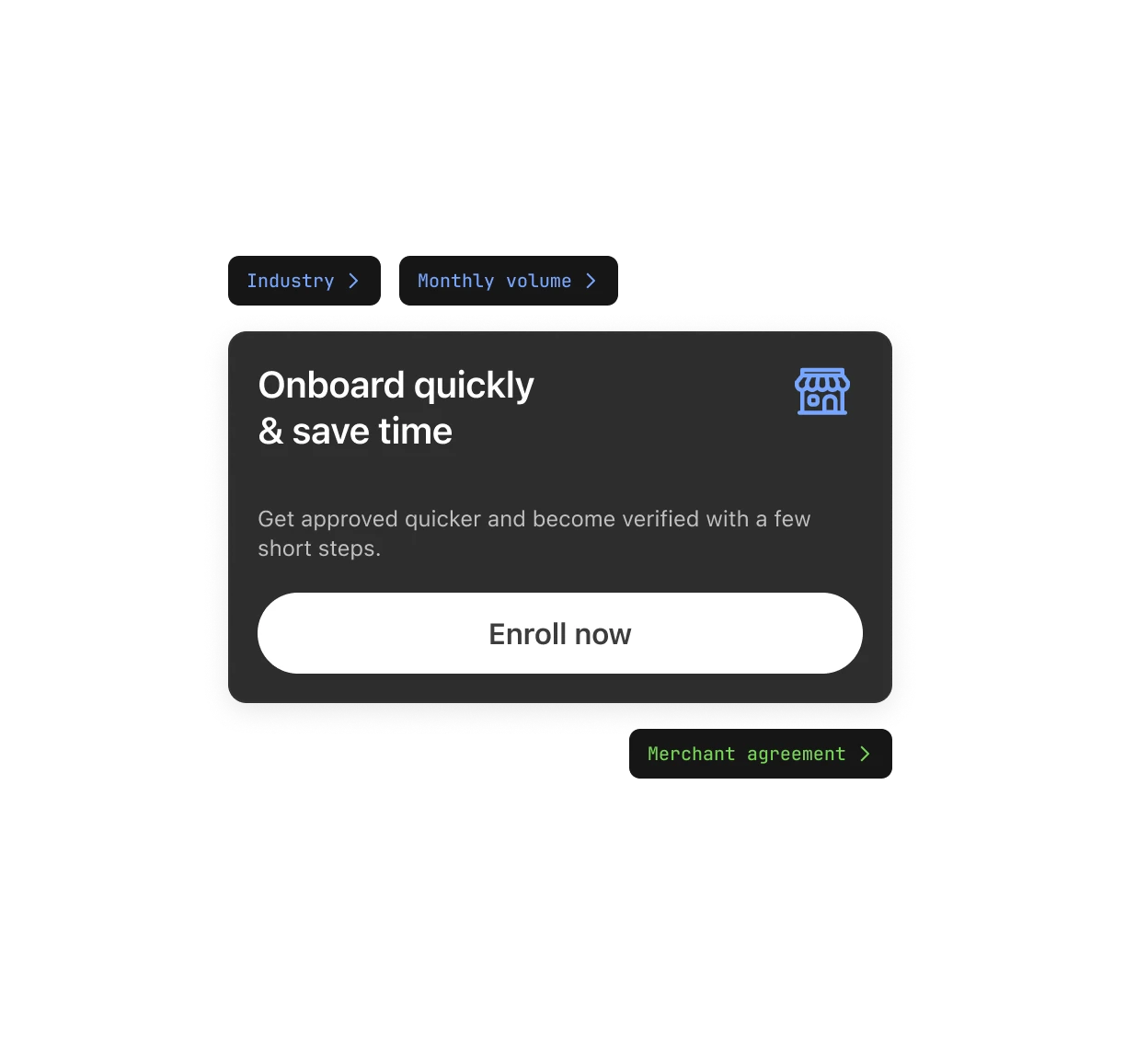
Anything your users can do, you can also do through the Moov Dashboard.
Form shorteningStart with an email address and get business or individual details from a number of public sources.
Manage accountsView the Moov accounts that belong to your application.
Find whomever you’re looking for. If you set a foreign ID on an account, you can search by it.
Let Moov handle the onboarding process for your users, branded with your logo and colors.
Onboarding invitesSend a link that onboards a business with prefilled details, the capabilities you need, and the fee plan you choose.
Account connectionsShare access with the merchants you onboard so they can manage their own customers, while you keep visibility across every connected account.
If a user has already onboarded with Moov, they can link their account to your application without having to re-enter any information.
Businesses with websites may have a publicly available logo. If they do, we’ll make it available to you, or you can upload your own logo and brand colors.
Address autocompleteUse our address auto-completion utility to improve accuracy and create a better user experience.
Easier industry selectionUse our industry auto-completion utility to help users select the right industry for their business.
Resolution linksSend a secure link by email or text so businesses can fix verification issues and upload documents without logging in. Links are protected with a one-time code and expire after 30 days.
Capabilities
Request capabilities to enable your users for different funds flows.
Granular capabilitiesRequest only what you need, like ACH or push-to-card, and onboard faster with underwriting tailored to those capabilities.
TransfersAllow users to participate in transfers with a small amount of data and no KYC required.
Send fundsEnable users to send funds by ACH, instant bank transfer, or push to card.
Collect fundsEnable users to collect funds by ACH debit or card payment.
WalletsAllow users to store funds in a wallet and use that wallet as a payment method.
Card issuingAllow users to issue cards tied to their Moov wallet.
Verification
Near-instant automatic approvals for up to 98% of individual verifications.
Automated verification without requiring documents.
Account for common name permutations for a more forgiving and human verification.
Addresses are hard. We’ll normalize addresses as we try to verify them to improve results.
Moov subscribes to the most valuable lists to identify bad actors.
We’ll monitor all legal entities against sanctions lists on a regular basis without you having to worry about it.
Automated verification of business registered with any of the 50 Secretary of States.
Beneficial owner verificationUnderstand the relationship between businesses and their owners.
Detailed verification errorsIf something looks off, ask your users to correct it and know where their verification stands.
Subscribe to verification updatesBe in the know when the verification status changes for any of your users.
Moov checks all new accounts against a TMF to prevent fraud and misuse.
When required, easily provide documents for verification or underwriting via API or the Moov Dashboard.
Determine if a goods/services sold on a merchants website match the MCC.
Dashboard
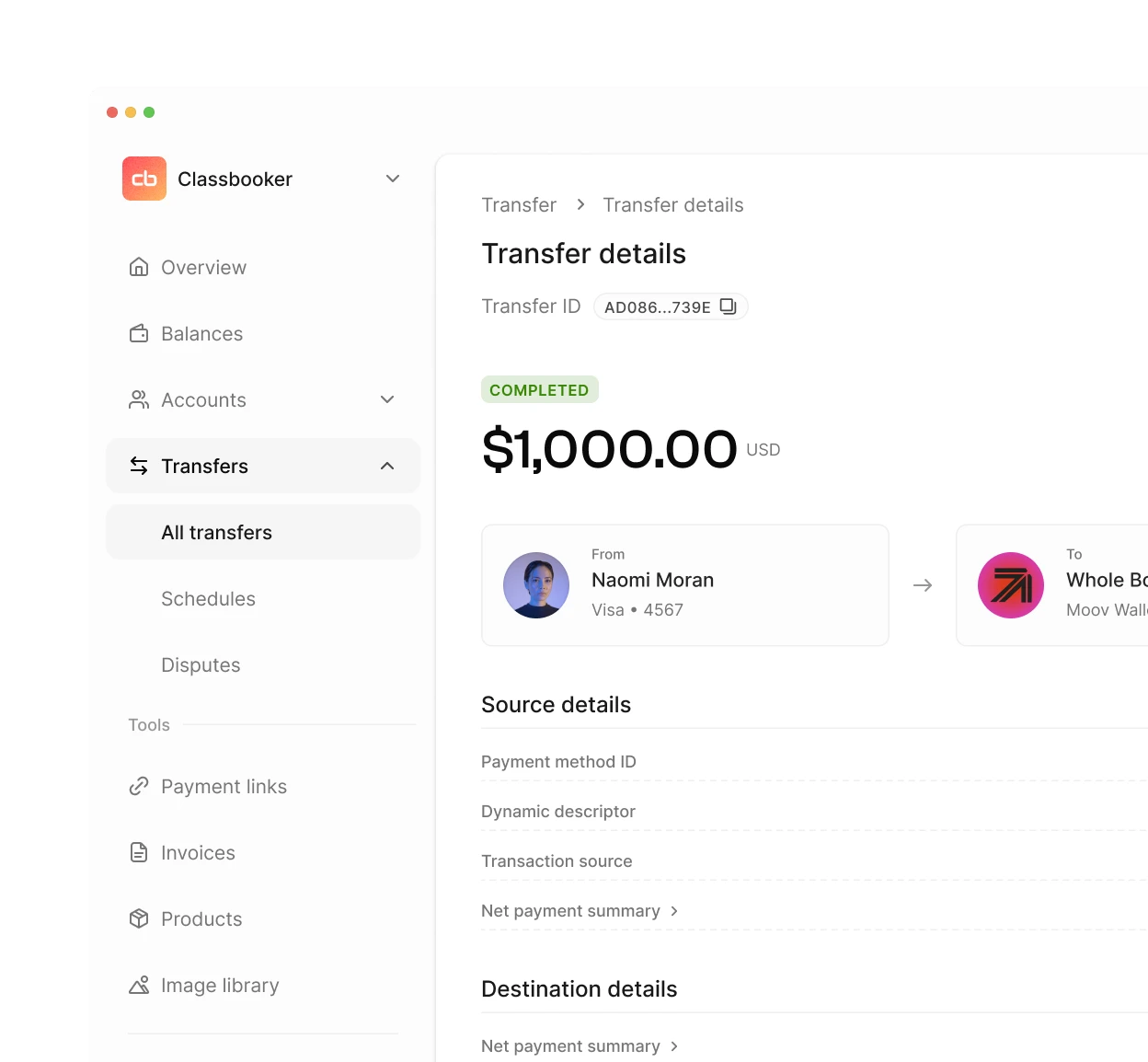
The latest in web standards for providing great experiences for the web. You can even install the Moov Dashboard on your desktop and mobile device.
It looks great in any mode, but honestly, dark mode is chef’s kiss.
We’ll walk you through what’s required to go live in the app and let you get to work.
No jargon, just simple metrics that help you keep tabs on the most important things.
Simple permissionsInvite those in your company who need access and let them do just the things they need to.
Custom rolesCreate your own roles to control exactly what each team member can see and do.
Sign in securely with a passkey from your browser, password manager, phone, or security key.
Anything your users can do, you can do too through the Moov Dashboard. Great for support teams.
Know whether capabilities are already approved, rejected, waiting on manual review, or are missing data.
Create transfers through our UI and view transfer activity across your app or account by account.
Filter transfers by type, like card payments, ACH, instant bank, push to card, and wallet transfers, in the Dashboard or via API.
Schedule a future transfer or set up recurring transfers daily, weekly, monthly, or yearly.
BalancesSee the available balance and transactions for every wallet in one place.
Find transfers that share the same transfer group ID and visualize the flow of funds.
Visualize every step of the money movement process so you always know where funds are.
Peek previewsQuickly view the details of transfers, accounts, and payment links without having to navigate away for your current page.
Dispute managementAccept or challenge disputes with uploaded evidence and track deadlines via the Dashboard or API.
StatementsMonthly merchant and partner statements break down processing fees, interchange, and residuals for easy reconciliation, in the Dashboard or via API.
Support ticketsConnected accounts can open and track support tickets with Moov from the Dashboard or API.
Add your company SSO as an auth provider with OpenID Connect.
Security & reliability
We get it, uptime is important, so we’re here for you.
We adhere to industry-standard best practices with regard to your privacy.
Moov contracts with security researchers and pen testers regularly to discover and remediate security vulnerabilities.
Securely move stored cards and bank accounts from your previous processor with Moov’s help.
Bank-level security protects your data and your users’ data, too.
Financial reporting controls are well implemented and effective.
We regularly demonstrate that our controls and procedures are solid.
Trust us, PCI compliance is a bear, and we take the burden seriously to make sure we handle the most sensitive data with care.
View more at our Trust site.