
A tap to get paid: Apple Pay & Google Pay for disbursements

Sending money is the easy part.
Getting your recipient to accept it, with their card details typed correctly, on a device that works, in a way they trust enough to actually finish? That’s where most disbursement programs quietly bleed time, support tickets, and goodwill.
This is why Moov supports Apple Pay and Google Pay across every card-rail flow: the wallet buy button for accepting payments, AFT for funding flows, and OCT for disbursements. Same wallets your recipients already trust, same one-tap pattern they already know.
What it looks like for your recipient
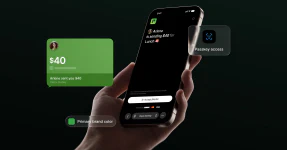
Here’s the entire flow on a Moov payout link:
- Enter the OTP code we send to their phone.
- Tap Continue with Apple Pay or Continue with Google Pay.
- Select card & done!
That’s it. No card number entry. No fat-finger errors. No “is this debit or credit?” toggle. The card on file in their wallet is already tokenized, already verified, and ready to receive funds in seconds.
For inbound payments, the wallet-versus-card decision is mostly about checkout conversion. For disbursements, you probably have enough of a carrot in simply offering the user to get paid to get them to jump through hoops, but why not make the experience as easy as possible?
And this isn’t theoretical. According to PYMNTS’ 2025 research, instant disbursement usage in the U.S. saw almost a 4× increase from 11% in 2018 to 41% in January 2025. Among consumers who had the option to receive funds instantly, 94% reported being highly satisfied with the experience, compared to 80% among those who didn’t.
The intelligence behind the button
A wallet button is only useful if it actually works for the person looking at it. So we built in some quiet intelligence so you don’t have to think about it.
- Ineligible cards are filtered out automatically. If a card in the wallet can’t receive a push, it never appears as an option. Your recipient never hits a dead end.
- We detect whether a wallet is provisioned. No cards in the wallet? We don’t show the button. The recipient sees only paths that will actually succeed.
- Buttons render dynamically based on browser and OS support. Google Pay shows up where Google Pay is available. Apple Pay shows up where Apple Pay is available.
- Cross-device handoff works out of the box. Think Apple Pay only works in Safari? Wrong. Users of Chrome, Dia, Firefox, etc on a Mac or PC can start the payment on one device and finish on their iPhone.
The result is a payout link that always shows the right option for the right recipient on the right device.
Built into what you already use
Wallet-based OCT for both Apple Pay and Google Pay is part of Moov’s standard payout link experience. Nothing extra to integrate. No separate endpoints. No migration. If you’re already moving money with Moov, your recipients are already getting this experience.
Read our guides for integrating Apple Pay and Google Pay to get started.
When the difference between a great disbursement and a forgettable one is measured in taps, every one you remove counts.
If you’re evaluating Moov for disbursements and want to see the end-to-end flow, let’s talk.